🟦 THE ESSENTIALS
- Automatic scheduling for operational teams significantly reduces the time spent building weekly schedules.
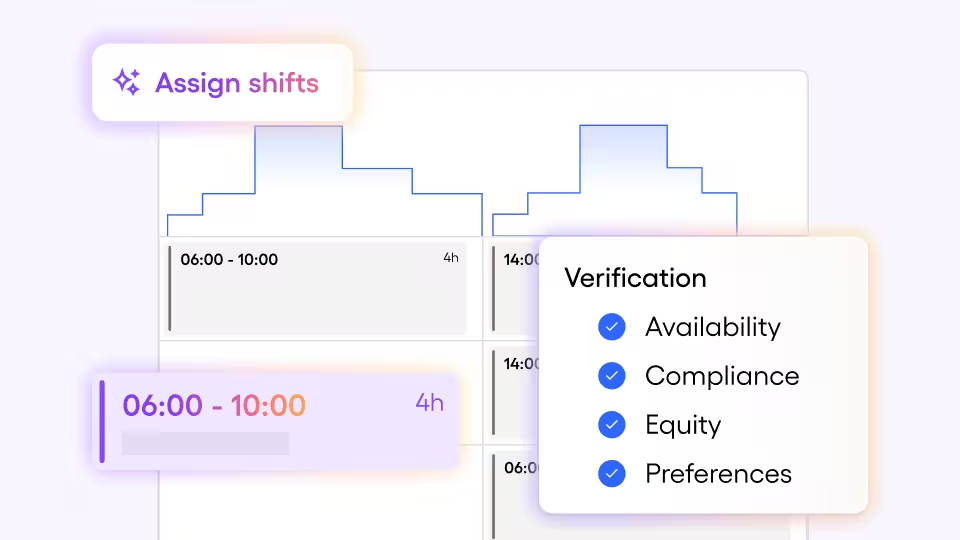
- Skello generates shifts from revenue forecasts, with quarter-hour granularity.
- The assignment takes into account the applicable collective agreement, individual availability and optimal coverage of staffing needs.
- All software decisions are transparent: the manager keeps the final say on every assignment.
- The solution was co-built with over a hundred users from different sectors (hospitality, retail, healthcare, construction).
Scheduling operational teams remains one of the most time-consuming challenges in operational management. Several hours a week, often at the weekend, for a result that still relies on personal experience, Excel spreadsheets and last-minute adjustments. It's not a lack of skill, it's that the tools available haven't really solved this problem yet. Skello's scheduling software was designed to address this by combining precision, compliance and ease of use. This article explains concretely how automatic scheduling works, what it changes day-to-day for managers, and why it goes far beyond simply saving time.
Contents
- A schedule aligned with actual activity, down to the quarter-hour
- Intelligent shift assignment to the right people
- Understanding the software's decisions, not just accepting them
- Software built with those who schedule every day
- What it concretely changes day-to-day
- What's next: software that will keep evolving with its users
- Frequently asked questions
A schedule aligned with actual activity, down to the quarter-hour
The central difficulty of scheduling isn't creating shifts: it's knowing how many people are needed, when, and for which role.
Skello lets you automatically generate all shifts based on revenue forecasts, with quarter-hour granularity. The schedule adapts to seasonality, intra-day activity variations and the establishment's objectives. No more manually consulting last year's schedules week by week.
For sectors with high variability (fast food, grocery retail, fashion retail), the benefit is immediate and measurable. Establishments with more stable needs, such as traditional restaurants or healthcare facilities, also find concrete value: a more reliable process, fewer errors and less time spent on a repetitive task.
💡 Good to know: Quarter-hour granularity allows you to absorb intra-day activity peaks without overstaffing during quieter periods — a direct lever on payroll costs.
Intelligent shift assignment to the right people
Generating shifts isn't enough. They also need to be assigned to the right people, taking into account multiple constraints that vary from one employee to another.
The smart scheduling software simultaneously considers the applicable collective agreement, declared individual availability and cost optimisation — particularly by reducing overtime. The manager then steps in to fine-tune the results with information only they know: who has the keys to open up, who's off that Wednesday, which employees have specific arrangements.
Skello automates. The manager oversees.
The result: a complete schedule, consistent with the establishment's HR and financial reality, without the manager having to arbitrate every decision manually.
📌 Example: In a grocery retail outlet, automatic assignment can reduce unplanned overtime by ensuring balanced shift distribution from the moment the schedule is built — no manual line-by-line intervention needed. See how Skello adapts to retail and wholesale.
Understanding the software's decisions, not just accepting them
Delegating part of the scheduling work to automated software means trusting it. That trust isn't given — it's earned.
That's why every decision Skello makes is explicit and readable. The manager can see which criteria were applied, why one employee was assigned over another, and where adjustments would make sense. Nothing is opaque. Nothing is fixed.
This transparency has a direct consequence: the manager keeps the final say. They can change any value, correct an assignment or override a recommendation if they have good reason to. The software proposes an optimised starting point. The manager decides.
Software built with those who schedule every day
Skello's automatic scheduling wasn't designed on assumptions. It's the result of a hands-on co-construction process.
More than a hundred users from different sectors were involved at every stage of development: on-site conversations, prototype testing, real-world observations. Their feedback directly shaped functional decisions. Three structural lessons emerged:
- A schedule isn't a simple HR exercise. It needs to be directly aligned with business activity to ensure both performance and team wellbeing.
- To trust the software, the experience must be transparent. The criteria used must be clearly visible and adjustable where needed.
- Simplicity and precision aren't mutually exclusive. Skello needs to be easy to use and finely configurable — it's a core principle of the product.
What it concretely changes day-to-day
For managers who currently schedule by instinct or on Excel, the benefit is first and foremost a significant time saving. But it's not just about speed.
It's also about peace of mind. Knowing that the schedule is based on real data, that the legal requirements of the collective agreement are met, and that costs are under control without manually checking every line fundamentally changes how managers experience this task.
And it's about operational performance. A schedule better matched to actual needs reduces both understaffing and overstaffing, with a direct impact on service quality and operating margin.
What's next: software that will keep evolving with its users
This version is a first step.
New criteria will enrich the software throughout the year: coverage of more detailed individual constraints, adaptation to sector-specific requirements, greater precision in recommendations. As with its design, every evolution will be guided by real-world feedback. Scheduling software is only useful if it reflects what managers actually experience.
Frequently asked questions
Does automatic scheduling work for all sectors?
Yes. Skello handles high-variability sectors (fast food, grocery retail, fashion retail) as well as establishments with more stable needs (traditional restaurants, healthcare, construction, leisure). Shift generation parameters adapt to each sector's specific requirements.
Does the software automatically comply with the collective agreement?
The collective agreement applicable to the establishment is integrated into the software's settings. Legal requirements from the agreement (maximum hours, mandatory rest, etc.) are applied during automatic assignment. It remains the manager's responsibility to check individual arrangements not recorded in the software.
Can an automatically generated schedule be edited manually?
Yes. Skello proposes an optimised base, but the manager retains full control: every shift can be modified, every assignment can be corrected. The software is transparent about the criteria applied to make these adjustments straightforward.
What data is the schedule generated from?
The schedule is generated from revenue forecasts, with quarter-hour granularity. It also incorporates employee-declared availability, collective agreement constraints and the establishment's cost targets.
How long does it take to set up the software?
You'll be supported at every stage of the configuration process. It's designed to be quick and intuitive, so you can start building your first automatic schedules in just a few clicks.